iPhone users are being urged to delete suspicious emails claiming their iCloud storage is full, with cybercriminals using increasingly convincing messages that threaten data loss, including photos and videos, to pressure victims into clicking malicious links.
Consumer groups have warned that the scam is targeting Apple’s vast global user base with fake alerts designed to steal passwords, banking details and personal data.
Get updated faster and for FREE: Download the Gulf News app now - simply click here.
How the scam works
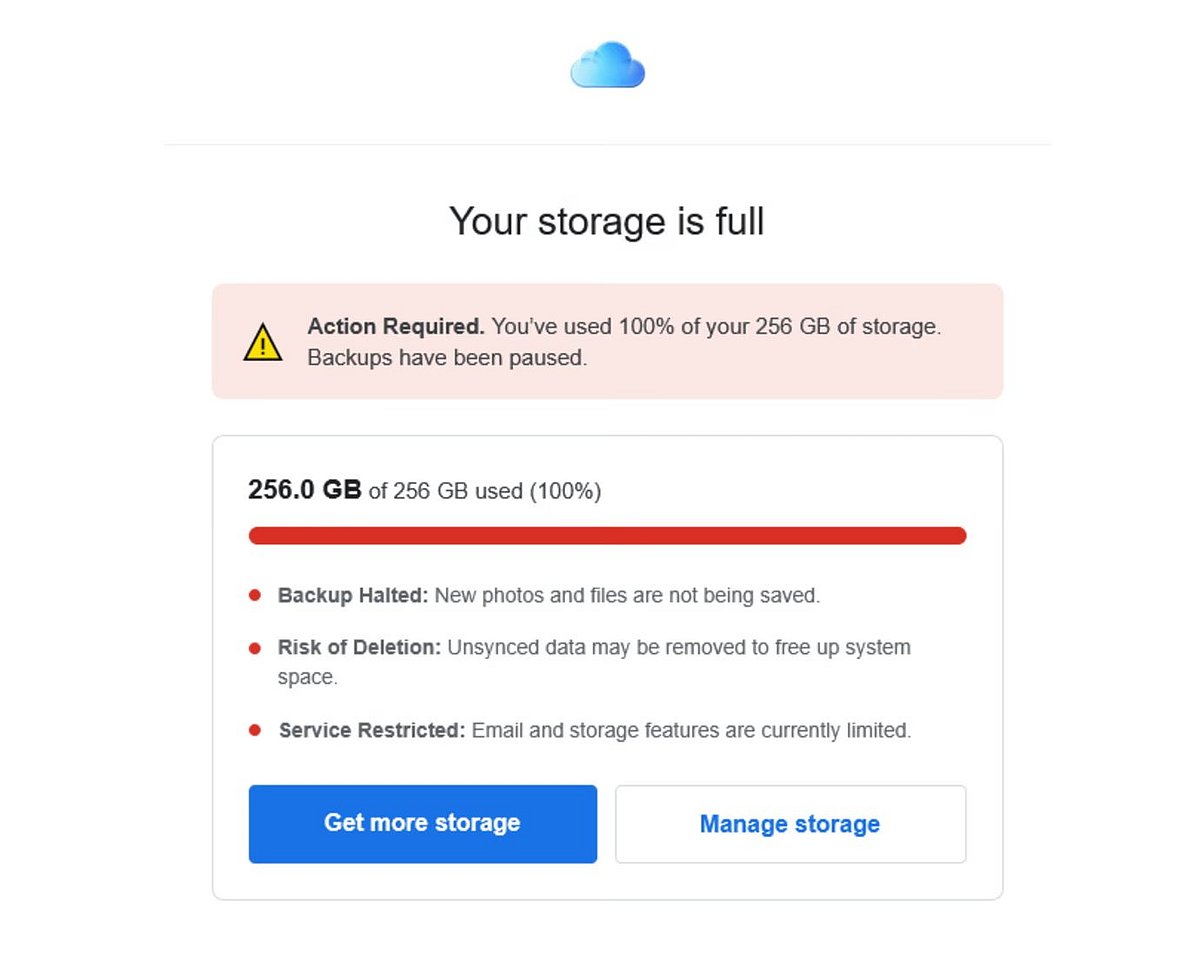
According to reports, the fraudulent emails typically claim that iCloud storage has been exceeded and that users must upgrade immediately or risk losing access to backups, photos and files.
Many messages include urgent warnings such as account suspension within 48 hours or permanent data deletion unless action is taken.
A button or link is usually provided, appearing to direct users to upgrade storage or manage their account. In reality, it leads to phishing websites designed to harvest payment details and login credentials.
The Guardian reports that “the emails include a button you can click on to upgrade your iCloud storage.” That means giving away payment details. “If you provide your bank details or make a payment, the crooks may then attempt to steal (more) money or sell your details to other criminals on the 'dark web’.”
Some emails are even signed off as “The iCloud Team” and closely replicate Apple’s official design, making them harder to identify at first glance.
High-pressure tactics and fake deadlines
Scammers are also using escalating threats, including claims that accounts have been blocked or that all photos and videos will be deleted on a specific date.
In some cases, follow-up emails intensify the pressure, warning that no response will result in full data loss.
Experts say this urgency is deliberate, designed to push users into acting without verifying authenticity.
Why the emails look convincing
Cybersecurity warnings note that these scams often mirror real Apple notifications about storage limits, creating confusion for users who may already receive legitimate upgrade prompts.
Red flags can include unusual sender addresses, poor grammar, or domains that do not match Apple’s official communications.
Genuine Apple emails typically do not ask users to enter payment details via direct links.
What Apple users should do
Authorities and consumer organisations advise users to avoid clicking any links, delete suspicious messages immediately, and never enter personal or banking information.
Users can check iCloud storage directly via device settings rather than through email prompts.
Suspicious messages can be reported to phishing authorities or Apple’s official reporting channels.
Experts stress that legitimate Apple support will never pressure users via urgent email links to make payments or share sensitive information.